Dev log

Crate

Every logged day on Crate, newest first. The product is at getcrate.live.

StartedMarch 2026
StatusLive, free plus Studio
Days logged27
Last logged2 Sep 2026

First-scan gate

Until a folder is connected, the app is the wizard. Inbox, Board, Released, Insights, and Triage send you to Workspaces until then. On browsers that cannot scan, the marketing pages show a one-time notice that names the device and the fix, and inside the app those browsers get a full-page explainer with a link to carry to the computer. A second device on Studio is unaffected. The onboarding emails got a copy pass and a Studio note, and every mention of assistant access now reads: Assistants read your board, never your audio.

Shipped

  • First-scan gate until a folder is connected
  • Browser notice on the marketing pages
  • Full-page explainer for browsers that cannot scan
  • Visible error when the folder picker fails
  • Help and feedback in the user menu
  • Onboarding email copy pass with a Studio note
  • Assistant phrase: read your board, never your audio

Classic pipeline and standalone checklists

I retired the built-in pipeline. Every workspace that used it now owns a Classic pipeline it can edit. Checklists are no longer tied to a phase; a pipeline references them, and From Crate lists every catalog checklist so each can be adopted on its own. A Label release checklist joined the catalog. Crate also asks the browser to keep the local library so it is not cleared out.

Shipped

  • Classic pipeline owned by each workspace
  • Built-in pipeline retired
  • Checklists no longer tied to a phase
  • Every catalog checklist adoptable on its own
  • Label release checklist
  • Local library kept by the browser
  • Workspace Wizard fix

From Crate catalog, and pipelines for every plan

I shipped From Crate, a catalog of pre-made pipelines and checklists. It opens from the Library's Pipelines and Checklists tabs and from the pipeline picker, so the Wizard, triage start, and the board chooser can all adopt one. Adopting makes an editable copy of your own. It launched with four pipelines, a loop-to-track pipeline, and two Releasing checklists. The same day I opened pipelines and checklists to every plan, including Free.

Shipped

  • From Crate catalog
  • Four pipelines and two Releasing checklists
  • Loop-to-track pipeline
  • Adopt makes an editable copy
  • From Crate door in the pipeline picker
  • Pipelines and checklists on every plan
  • Wizard pipeline step redesigned

Workspace Wizard and the scan wall

The create-workspace card became a Workspace Wizard that teaches Crate's concepts in order, and the card title opens Edit workspace. Browsers that cannot connect a folder now get an explanation of why scanning is blocked, and the guide deck opens with a card about the browser requirement.

Shipped

  • Workspace Wizard replaces the create card
  • Card title opens Edit workspace
  • Scan wall explained on unsupported browsers
  • Guide deck opens with the browser card

The manual and onboarding emails

I published a workflow manual at /manual with seven concept pages, and the app links into it from places like Inbox zero and the empty Released page. The guide deck now leads with checklists and links each card to its manual page. The onboarding email sequence is on. Crate also collects anonymous usage analytics, with no cookies and no session recording, and the privacy policy says so.

Shipped

  • Workflow manual at /manual
  • Manual links from inside the app
  • Guide deck linked to the manual
  • Onboarding email sequence
  • Anonymous usage analytics, no cookies
  • Privacy policy updated

I cut the default checklists from 37 items to 7, outcomes only. Duplicate Released cards from using more than one device are fixed, and a first scan no longer leaves an empty inbox.

Shipped

  • Default checklists cut from 37 items to 7
  • Duplicate Released cards fixed
  • Empty inbox after a first scan fixed

Guide deck and a landing pass

I shipped the guide deck, a set of cards that teach Crate's concepts in order. Each card shows once. The landing page got several passes and a pricing section.

Shipped

  • Guide deck
  • Each guide card shows once
  • Landing page pruned and refined
  • Pricing section on the landing page

Released page with synced receipts

I built a Released page. A project that has gone live leaves the board and gets a receipt that records the release. On Studio, receipts sync to the cloud and reach other devices right away. A receipt never changes once written, and the bounce's file path never leaves the computer. Every place a live project is locked offers the way to re-open it.

Shipped

  • Released page for live projects
  • A receipt for each release
  • Receipts synced across devices on Studio
  • Receipts never change once written
  • Bounce file paths stay on the computer
  • Re-open a live project from any lock

Sessions card and live updates

I added a Sessions card to the project page that reads Live's Backup folder to show recent working days and a save count. Notes an assistant adds now show up in an open project without a trip to the board, and a dropped connection catches up when it returns. A cloud update no longer reverts a checkbox you just clicked. The board's pipeline tag now opens the pipeline picker and previews each board on hover.

Shipped

  • Sessions card from the Backup folder
  • Pipeline chooser in the board's top bar
  • Assistant notes appear in the open project
  • Catch-up after a dropped connection
  • Unsent edits are never reverted
  • Assistant notes get an icon in History

Pipelines replace board layouts

I replaced board layouts with pipelines. A workspace has a default pipeline, each project follows one, and the board draws its columns from it. Triage picks the pipeline at the start of a session and is now the only way onto the board; the inbox has its own page. Pipelines live in the Library, and checklists on a custom pipeline no longer vanish on reload.

Shipped

  • Pipelines replace layouts
  • Board columns come from the pipeline
  • Triage picks a pipeline per session
  • Triage is the only door to the board
  • Inbox as its own page
  • New workspaces get a default pipeline
  • Custom pipeline checklists survive reload

Assistants can connect to Crate

I opened Crate to assistants. A Labs section in Settings shows one connect link that works for any assistant client, on the Studio plan. An assistant can read the board and add a note to a project; it can only append, never overwrite. The Labs card also holds a Coming soon slot for the Crate Sidecar download.

Shipped

  • Labs section in Settings
  • One MCP connect link for any assistant, on Studio
  • Assistants can read the board
  • Assistants can add notes, append only
  • Sidecar download slot marked Coming soon

Launch day

Launch day. I did a final cleanup, then fixed what the day turned up: a dialog regression, drag jitter on the board, and triage with custom phases. Rescan works again on healthy folders.

Shipped

  • Launch cleanup
  • Dialog regression fixed
  • Board drag jitter fixed
  • Triage with custom phases fixed
  • Rescan restored on healthy folders

Closed up ahead of launch

I closed the app to everyone but me ahead of launch. Crate installs as an app from the browser and prompts when an update is ready. Sign-up now verifies your email. The free plan is one workspace stored on your computer, and if a Studio subscription lapses, the extra workspaces lock with options for the data. The Getting Started flow was simplified, and Apple sign-in was removed.

Shipped

  • App closed ahead of launch
  • Install as an app with an update prompt
  • Email verification at sign-up
  • Free plan: one workspace, local only
  • Extra workspaces lock when Studio lapses
  • Changed bounces flagged in History
  • Simpler Getting Started flow
  • Apple sign-in removed

Project page rebuild, Library, and real screenshots

I rebuilt the project page: a header band, a Details rail, a stack of peek cards, an activity timeline, and a rich text editor for notes. Scanning moved off the main thread, so the app stays responsive during a scan, and the parser now reads backup metadata and sample paths. The Library became a tabbed page with Workspaces, Collections, Checklists, and Layouts, with a layouts editor that stamps a layout onto a workspace. The landing page uses real product screenshots, Insights gained Consistency and Signature share cards, and a subscription can be cancelled and resumed from the pricing page.

Shipped

  • Project page with a Details rail and peek cards
  • Rich text editor for project notes
  • App stays responsive during a scan
  • Backup metadata and sample paths read from sets
  • Library as a tabbed page
  • Phase layouts editor
  • Real product screenshots on the landing page
  • Cancel and resume a subscription

Bounces synced to phone

I shipped bounces. Crate finds the bounced audio next to a Live set and plays it in a docked player. On Studio, a bounce syncs to the cloud so it plays on a phone; synced bounces expire after a while, and the project shows when one arrives. The Bounces card sits on the project page next to the activity timeline.

Shipped

  • Bounce found beside each set
  • Docked bounce player
  • Bounce sync on Studio
  • Bounce player on a phone
  • Synced bounces expire
  • Bounces card on the project page
  • Signal when a bounce arrives

Free and Studio replace Solo

I retired the Solo plan. Crate now has two plans: Free, which is one workspace stored on your computer, and Studio, which adds sync across devices. I rebuilt the pricing page around the two, corrected claims that were no longer true, and removed the founder plan.

Shipped

  • Solo plan retired
  • Free plan: one workspace, local only
  • Studio plan with sync
  • Pricing page rebuilt around Free and Studio
  • Founder plan removed
  • Pricing claims corrected

Studio plan and plan switching

I added a Studio plan next to Solo, with a plan picker at checkout. Plan changes go through a confirmation, and a downgrade from Studio is capped to what the lower plan allows. The free tier is now one workspace. The project panel got a Notes tab and a desktop redesign, and the header collapses on a phone.

Shipped

  • Studio plan alongside Solo
  • Plan picker at checkout
  • Plan change confirmation
  • Studio downgrade cap
  • Free tier set to one workspace
  • Notes tab on the project panel
  • Desktop panel redesign
  • Collapsible header on a phone

Guides section and song titles on cards

I added a guides section to the site with breadcrumbs. Project cards now show the song title with a subtitle. Deleted workspaces and projects are cleared out after a delay rather than at once, and duplicate detection was reworked to handle large folders. The board is blocked on mobile, where it did not work well.

Shipped

  • Guides section with breadcrumbs
  • Song title and subtitle on cards
  • Deleted items cleared after a delay
  • Duplicate detection reworked for large folders
  • Board blocked on mobile
  • Footer links grouped

New design system and support

I redesigned the landing page and applied a new design system across the app. There is an in-app support form and a feedback form in Settings. Triage got a filter, keyboard hints, and a filmstrip in place of the progress bar. Sets saved by the Live 12.4.5 beta read correctly.

Shipped

  • Landing page redesign
  • New design system across the app
  • In-app support form
  • Feedback form in Settings
  • Triage filter and keyboard hints
  • Filmstrip replaces the progress bar
  • Onboarding info button
  • Live 12.4.5 beta sets supported

Insights and shareable cards

I renamed Stats to Insights and rewrote the page as a grid of cards. Insights can be shared as portrait images, with the artist name pulled from Settings. Search is now one box that matches loosely, so a typo still finds the project. A workspace can hold up to 2,500 projects. Mobile triage was redesigned.

Shipped

  • Stats renamed to Insights
  • Insights page rewritten
  • Shareable Insights cards
  • Portrait share frames
  • Artist name from Settings on share cards
  • One search box with loose matching
  • Mobile triage redesign
  • Project limit of 2,500

I pulled the Info Text out of each Live set, so notes written in Ableton show up on the project in Crate. I fixed key filter matching and removed the BPM range filter.

Shipped

  • Notes written in Ableton shown on projects
  • Key filter matching fixed
  • BPM range filter removed

Deadlines, Mark as Live, and a roadmap with votes

I added deadlines to project cards with a color key, and a Mark as Live action that records when a project shipped. Projects that had already gone live were marked. I built a roadmap page where people can vote. Scanning got a progress bar and an inline wizard instead of a separate page. The terms now name Paddle as merchant of record, and the emails Crate sends were redesigned.

Shipped

  • Deadlines on cards with a color key
  • Mark as Live with a live date
  • Roadmap page with voting
  • Scan progress bar
  • Inline scan wizard
  • Undo on small deletes
  • Redesigned emails
  • Terms name Paddle as merchant of record

Billing moved to Paddle

I moved billing from Stripe to Paddle. Subscribing now goes through a Paddle checkout from the profile page. A pricing page went up the same week with a link in the footer.

Shipped

  • Paddle checkout from the profile page
  • Subscribe flow on Paddle
  • Pricing page
  • Pricing link in the footer
  • Billing portal fixes

Collections and the project page

I added collections, so projects can be grouped across the board, with assignment from the triage toolbar and an undo. The project page got three tabs, a description drawer, links, a Musical DNA section, and a two-column timeline. Triage now reports how many projects were sorted and skipped. Workspaces are capped at five, with a banner when you get close. I rebuilt the landing sections and added a consent checkbox to sign-up.

Shipped

  • Collections with assignment from triage and undo
  • Three-tab project page
  • Description drawer and links
  • Musical DNA section
  • Sorted and skipped counts after triage
  • Dark mode toggle
  • Workspace cap of five
  • Consent checkbox at sign-up

Inbox becomes Triage, board gets Trello navigation

I renamed Inbox to Triage and gave the board a Trello-style layout, with a docked inbox panel and lanes that scroll on their own. The top bar went icon-only, with a command palette for search and a layout for tablets. Settings got a redesign with the danger zone tucked away, and sync now shows an indicator.

Shipped

  • Inbox renamed to Triage
  • Trello-style board with a docked inbox
  • Command palette for search
  • Icon-only top bar and tablet layout
  • Sync indicator
  • Settings redesign with a collapsible danger zone
  • Permission denied handled on folders
  • Larger touch targets on mobile

Account deletion and a waitlist

I added self-serve account deletion, with a confirmation step and an FAQ entry on the landing page. Billing now sends lifecycle emails, and Settings shows a history of what was sent. Sign-in checks the waitlist, so only approved people get in. A folder that is unreachable or not connected now says which, and restoring a workspace prefers the cloud copy over a stale local one.

Shipped

  • Self-serve account deletion
  • Billing emails with a sent history
  • Waitlist check at sign-in
  • Settings split into tabs
  • New logo and favicon
  • Clear states for unreachable and not-connected folders
  • Cloud-first restore of a workspace

Workspaces and password reset

I added workspaces. A folder on one computer is its own space with its own board template. I rewrote the password reset flow and added a reconnect screen for when a folder needs permission again. I redesigned the landing page, and it now says plainly that Safari and Firefox cannot scan. A pass on labels and copy brought the app in line with the Crate voice.

Shipped

  • Workspaces tied to a computer and a folder
  • Board template per workspace
  • Password reset
  • Reconnect screen when a folder needs permission again
  • Settings page and user menu
  • Missing files indicator in the toolbar
  • Landing page redesign
  • Safari and Firefox named as unsupported

Older Live sets and scan controls

I made the scanner handle sets saved by older versions of Live. When a set uses the older tempo format, Crate still reads it and the card says so. BPM and key are no longer editable, since Crate reads them from the file. A scan can be stopped mid-run, and a failed file shows its error details.

Shipped

  • Older Live sets read correctly
  • Note on cards with legacy metadata
  • BPM and key read from the file only
  • Stop a scan mid-run
  • Error details when a file fails
  • Sort by date added, track count, or duration
  • Expandable plugin list on the Stats page

First working build

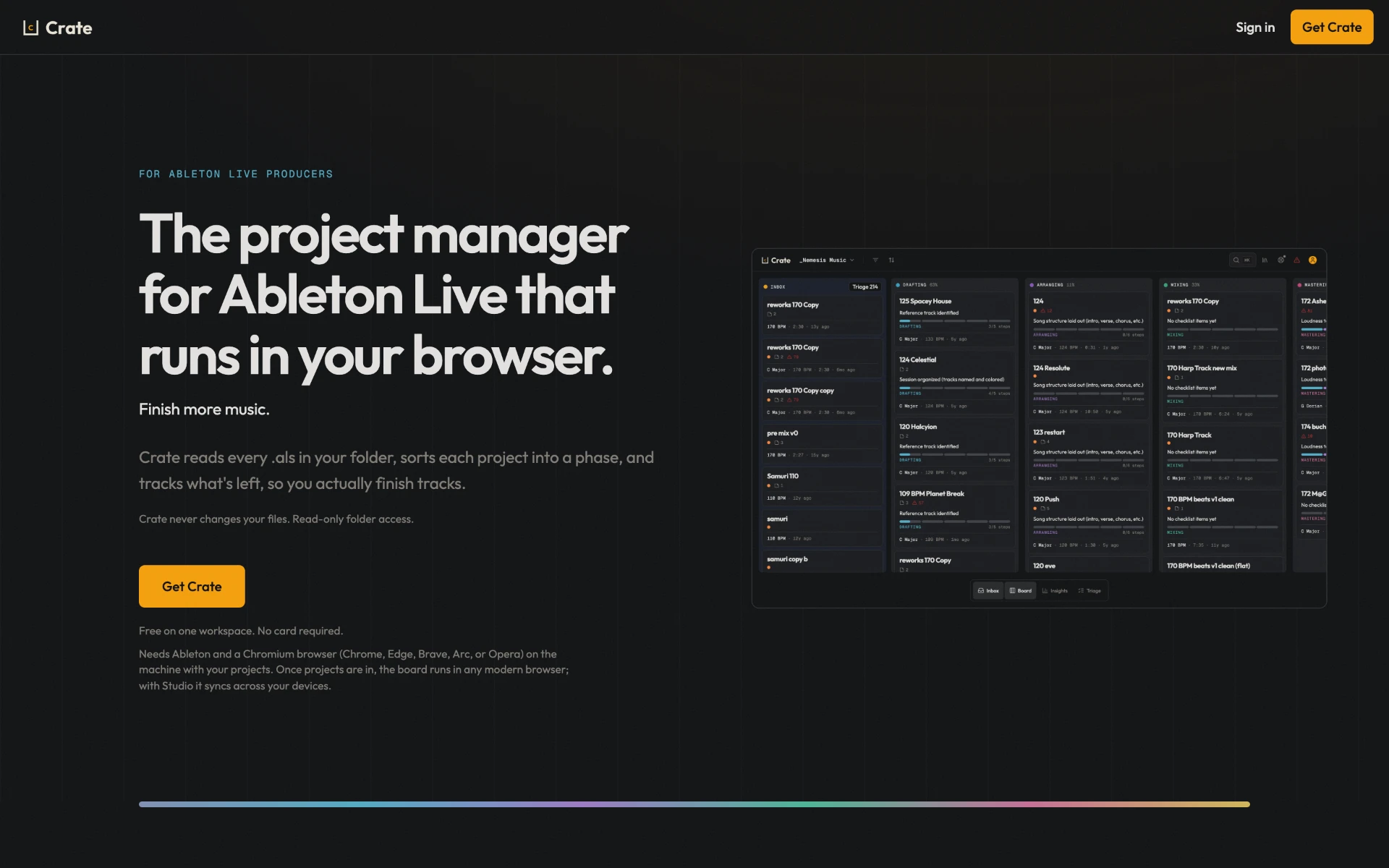
I built the first version of Crate in three days. It reads a folder of Ableton Live sets with read-only access and lays the projects out on a board by phase, with drag and drop between columns. New sets land in an inbox and get sorted through a triage queue, with swipe triage on a phone. I added Google and Apple sign-in, cloud sync behind a paid Pro plan, a stats page, and a first landing page.

Shipped

  • Board with drag and drop by phase
  • Inbox and triage queue
  • Swipe triage on a phone
  • Rescans that pick up only what changed
  • Phase checklist templates
  • Google and Apple sign-in
  • Pro plan with cloud sync
  • Stats page and CSV export